
White label CRM app for Android and iPhone
White label CRM and white label lead management software on your phone. A sales app and field staff app with your company's name and colours.
Your own lead management app
MerlinLead is white label CRM and white label lead management software. This is its mobile CRM app. It shows your company's name and colours, not ours.
- See today's follow-ups first
- Keep leads, customers and products in your pocket
- Make a quotation on the phone
- Log a visit with the customer's signature
- Works in English and Hindi
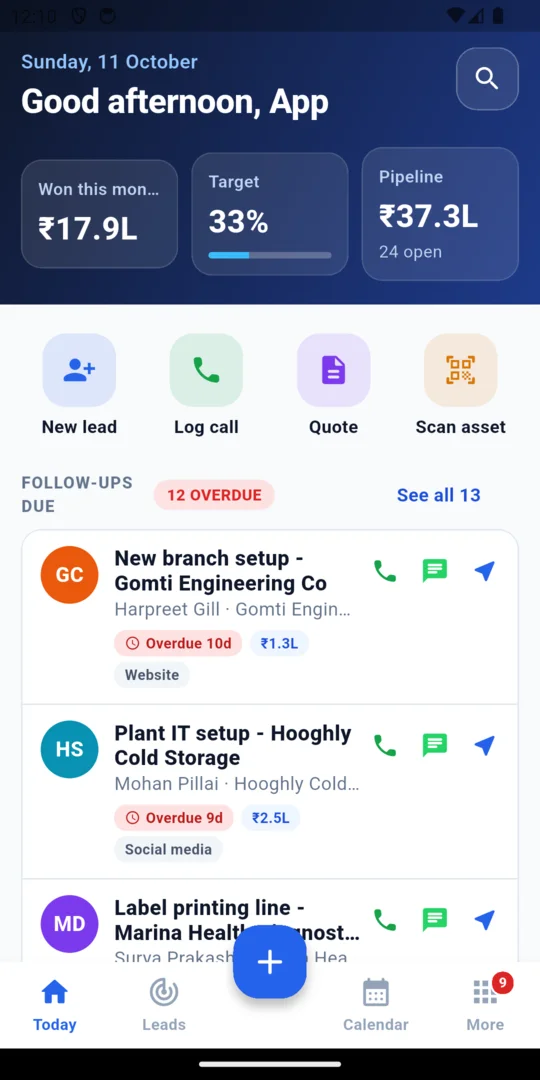
See today's follow-ups first
Open the app and start with Today. Late follow-ups stand out, so nothing is forgotten.
- Add a lead or log a call in one tap
- Add calls, meetings, visits, notes and tasks to any record
- Set the next follow-up date
- See your meetings and visits in a calendar
- Check your sales target as you go
Keep every lead and deal in one place
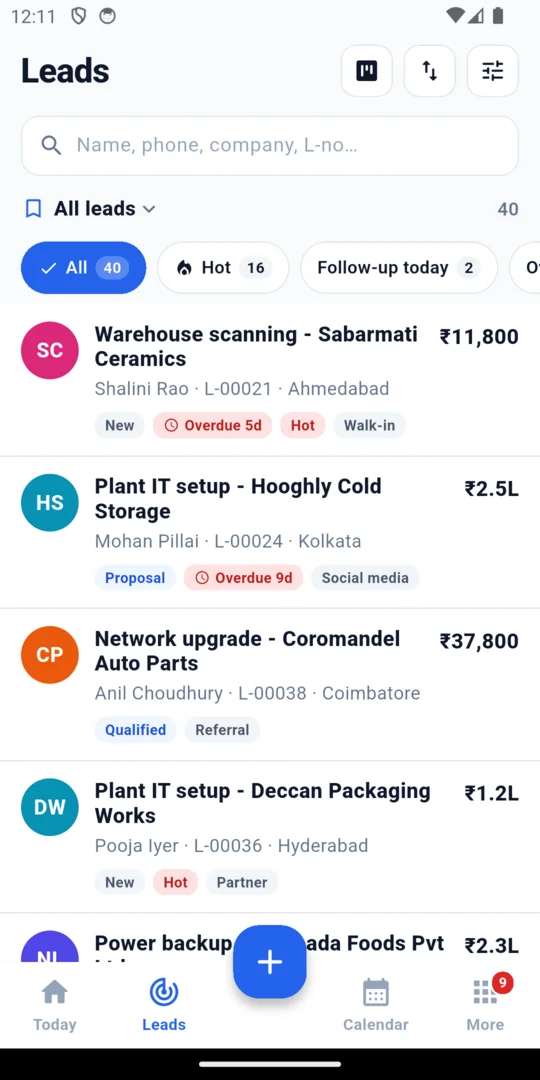
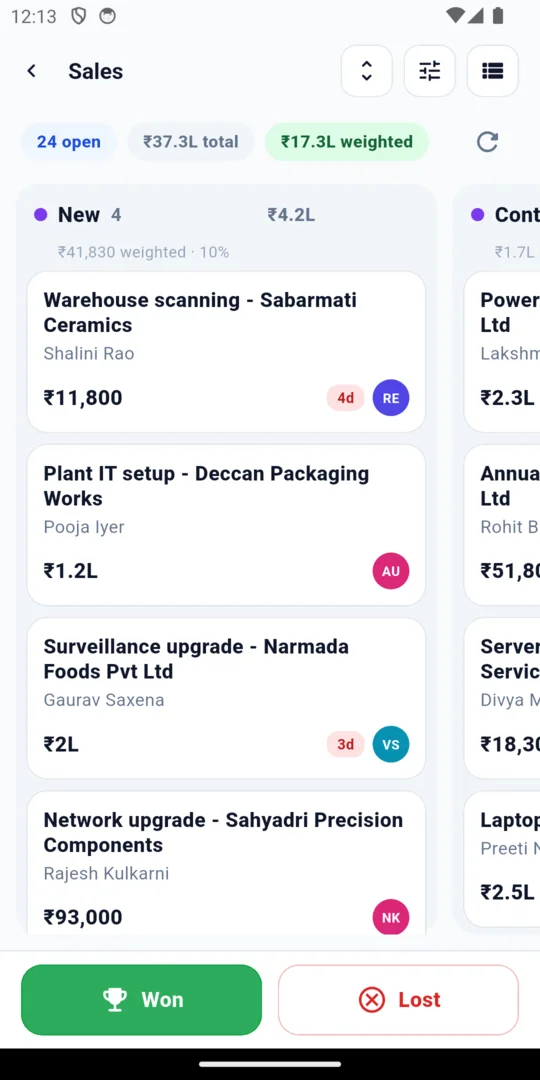
Look at your leads as a list. Or look at your deals as a board, stage by stage.
- Search your leads and pick Hot or Follow-up
- See company, contact, city, stage and amount on each card
- Move a deal to the next stage
- Mark a deal as won or lost
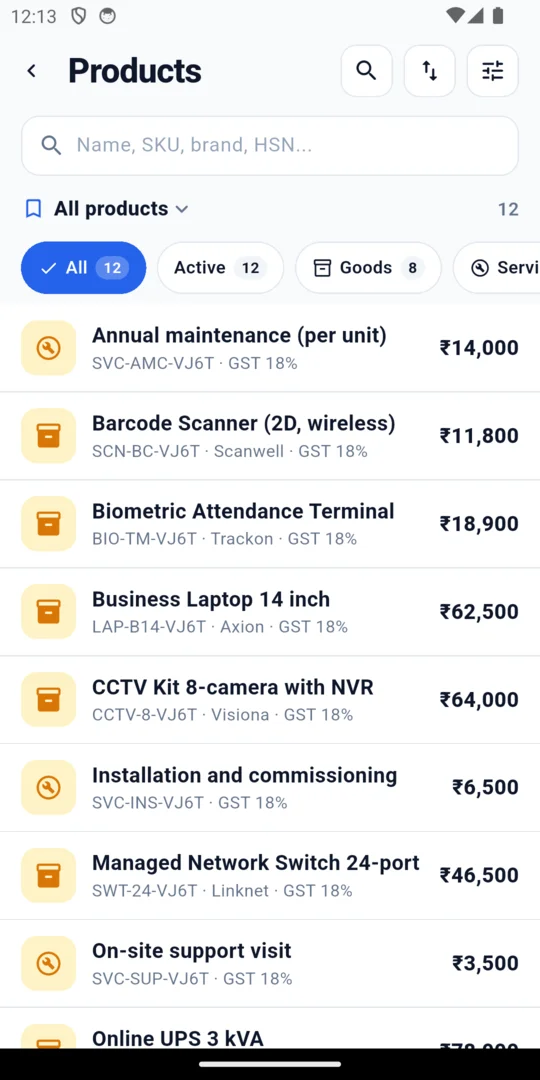
Find a customer or a product fast
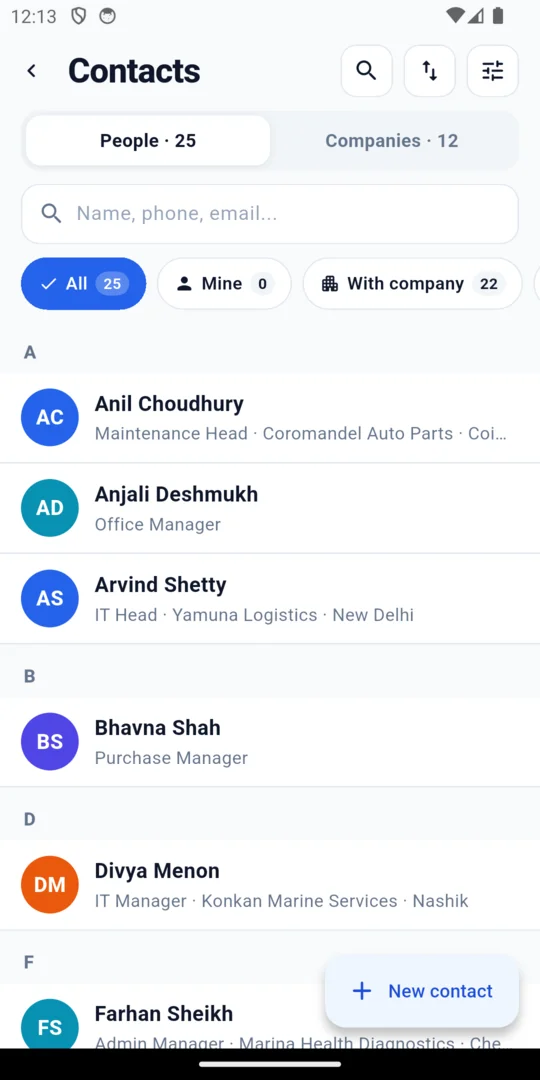
Your customer list and product list are always with you.
- People and companies, grouped A to Z
- Bring in contacts from the phone, or save them to it
- A product list with codes, tax rates and amounts
- A warning when a lead or contact is already in the list
Make a quotation on the phone
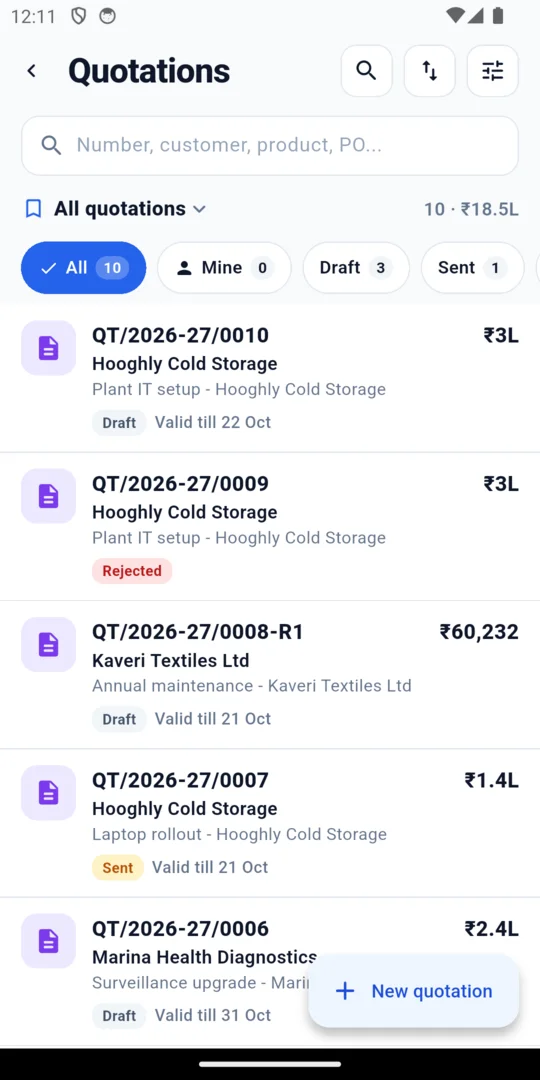
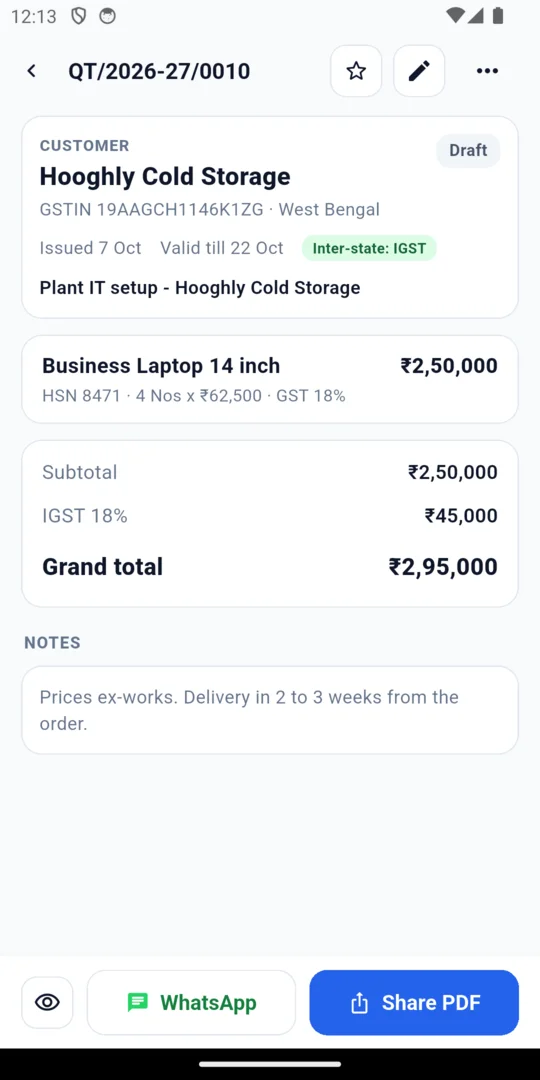
Pick the customer and the products. The app works out the GST for you.
- GST worked out for you: CGST and SGST in your state, IGST outside it
- Customer GSTIN and item tax codes
- Quotation numbers follow your own series
- See which quotes are draft, sent or rejected
- Share the quotation as a PDF, or send it on WhatsApp from your phone
Log a visit with the customer's signature
Your field team gets one screen for each visit.
- Check in with the phone's location
- Tick off the checklist
- Add photos and the parts used
- Close the visit with a signature or a one-time code
- Scan an item's QR code or barcode to open its record
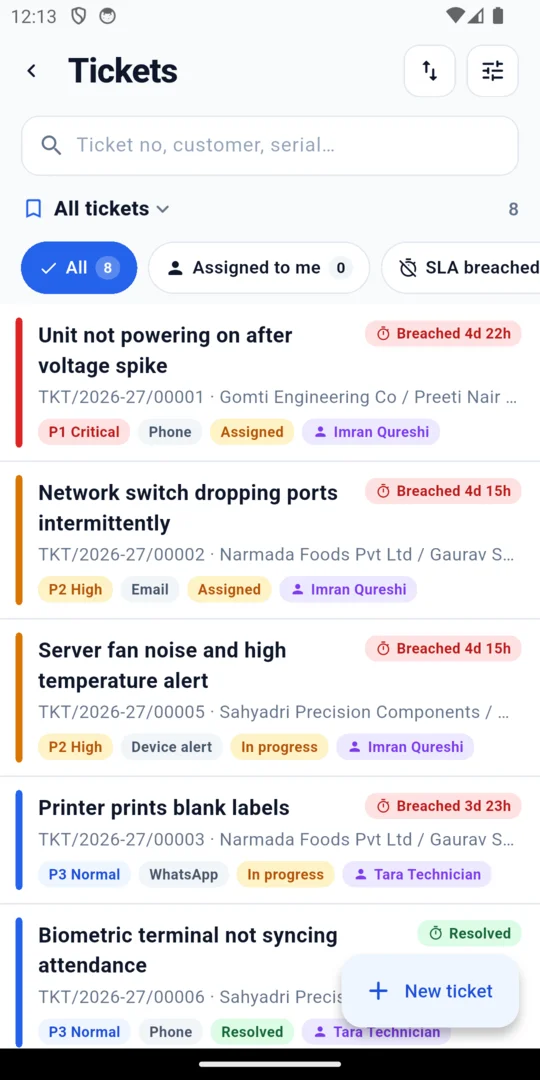
- Keep support tickets and see who has each one
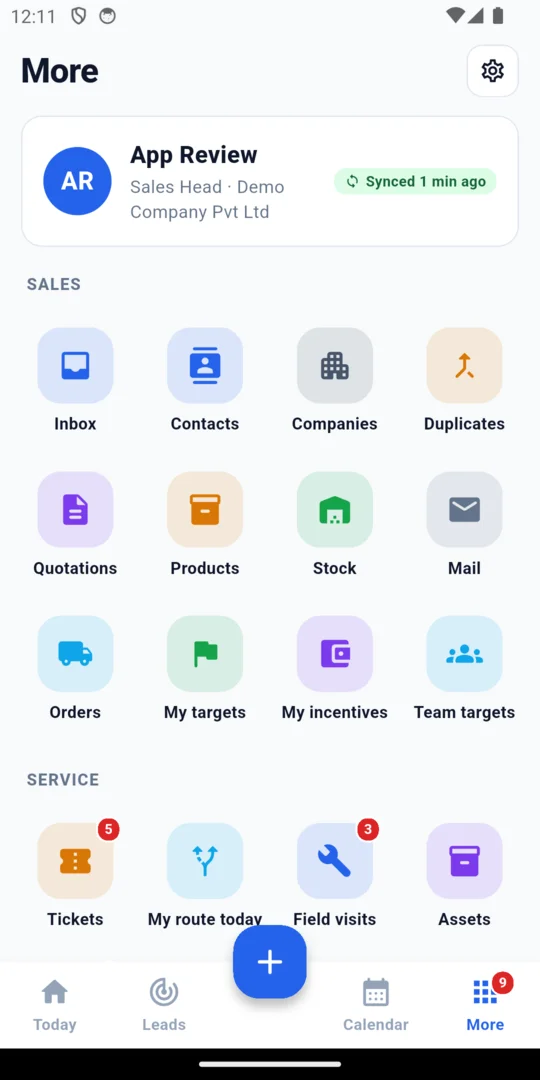
Everything else your team needs
Your administrator chooses who sees what. Features the company has not switched on stay hidden.
- Log calls on the customer's record, with a short form after each call
- Expenses with a receipt photo and distance travelled
- Targets and incentives, with your progress
- Attendance: punch in and out with location, if the company turns it on
- Scan a visiting card and make a lead from it
- Voice notes, and speak instead of typing
- Sales orders, contracts, partners and reports
- My team and favourites
- Collect payments with a receipt and a UPI QR code. This is off until you turn it on.
- Notifications with Approve and Reject buttons
- On Android: share text, links, pictures and files into the app
- Fingerprint or face unlock
App notifications work once you add your own account details. Until then nothing is sent to the phone. Location is used only while a person is punched in, with their consent.
Keeps working on a poor connection
The app keeps working on a poor connection. It sends your changes when you are back online.
- Your lists open from what the phone last saved
- Notes, follow-ups, contacts and visit work are saved on the phone
- They go to your team when the signal returns
- You do not get double records
Quotations, payment links and sending messages need the internet. They wait until you are online.
Use it in English or Hindi
Each person picks their own language.
- The whole app in English or Hindi
- Quotation PDFs in the customer's language
CRM app for Android and iPhone
One app for the phones your team already has.
- Android phones
- Android tablets, with a wider layout
- iPhone
- On Apple devices, iPhone only
What is not there yet
- Calls are logged after the call. The app does not record calls.
- Only English and Hindi are shown on screen.
- Quotations and sending messages need the internet.
- WhatsApp, SMS and notifications from MerlinLead connect when you add your own account.
Already have an account?
Sign in to MerlinLead at app.merlinlead.com.